
Torrenta
Every torrent, one keystroke away
A BitTorrent client for people who keep their hands on the keyboard. All 64 commands are a chord or an Alt+X search away, on libtorrent, the engine inside qBittorrent. Search, RSS rules and torrent creation built in. No account, no ads, no telemetry.
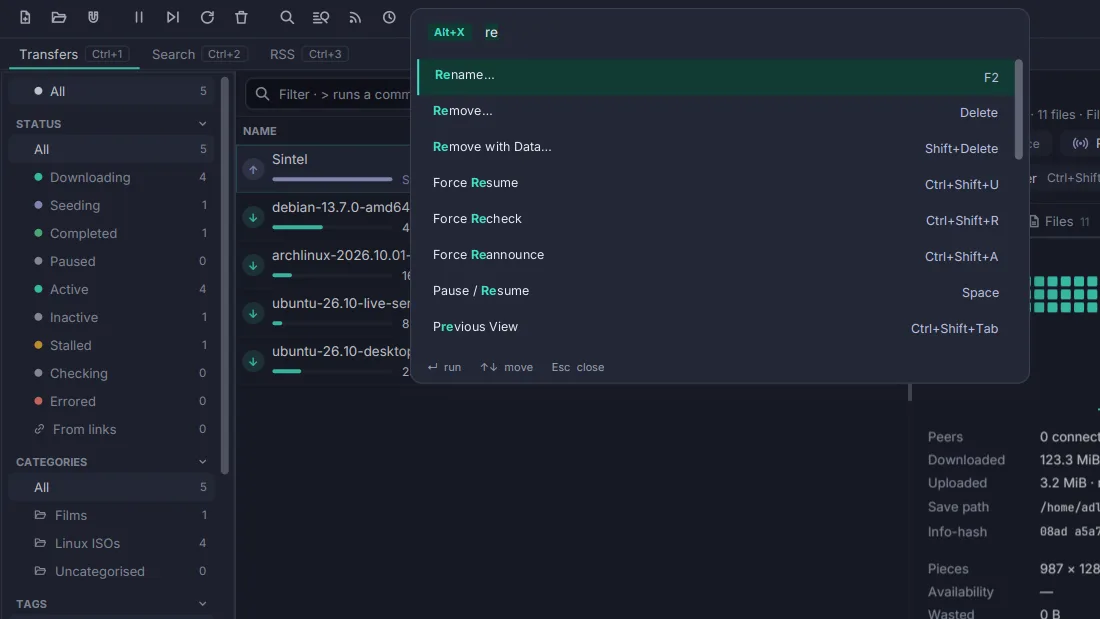
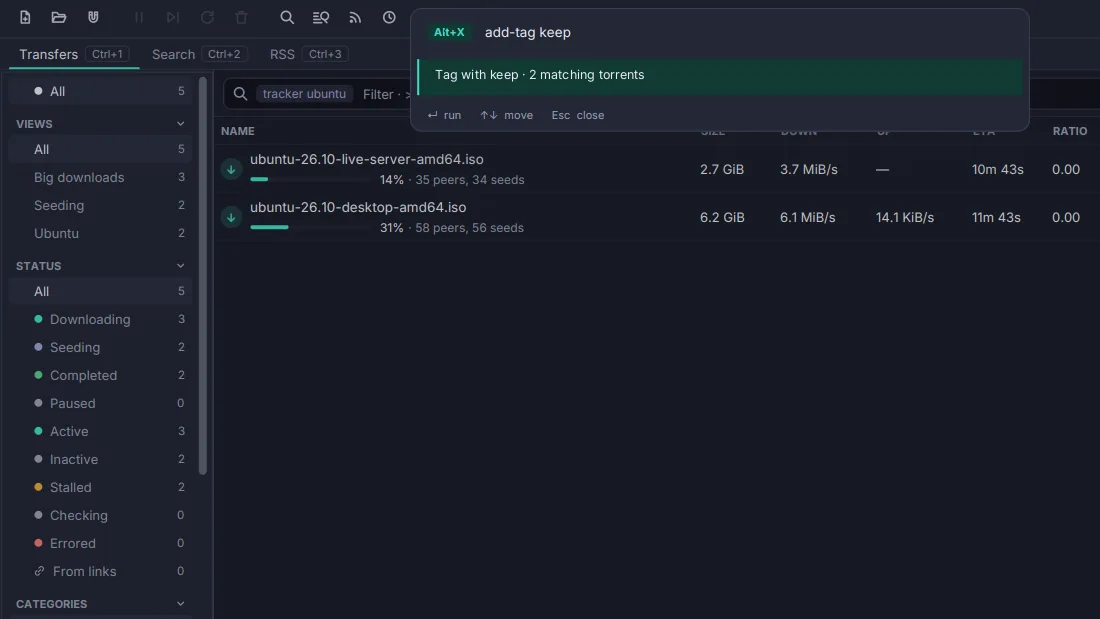
The command palette over the transfer list. Every action is searchable, and every one has a key.
A look at the window
The real thing: the sidebar's status, category, tag and tracker filters, two-line rows with progress and peers, the omnibox above them, and the details pane explaining the selected download, its pieces, its speed and its facts. The status bar keeps the port, the DHT, the rates and the free space in view.

Why Torrenta
As complete as qBittorrent and Transmission, with the keyboard first and nothing in the way. Free, open source, and the same on macOS, Windows and Linux.
Keyboard-first
Every action has a chord and a palette entry and applies to the whole
selection. The omnibox filters with state:seeding,
size>4g or added<7d, runs a command after
>, and adds a magnet you paste into it.
Nothing missing
Categories and tags, queue and share limits, scheduled speed limits, an IP filter, watch folders, run-on-event, RSS rules, search and torrent creation: what you would install qBittorrent for, in one window.
Yours, quietly
No account, no ads, no telemetry. Beyond the swarm and the servers and feeds you add, the one request it makes is a daily look at GitHub for a newer release, which one setting turns off. Settings are a plain file you can read, edit and sync.
One window, two engines
Torrenta runs libtorrent 2 in
process, with v2 and hybrid torrents, uTP, DHT, PEX and encryption. Or it
drives a transmission-daemon on a seedbox or a NAS over its
RPC, from the same window: what the daemon cannot do is hidden, never
greyed out or faked. Read how.
Download Torrenta Free and open source, for macOS, Windows and Linux. See how it compares.
What's new
The highlights of 0.4.1. See the changelog for everything.
- Torrenta 0.4.1 : Out for Linux (x64), macOS (Apple Silicon) and Windows (x64). It fixes 0.4.0 downloading finished torrents again after a restart, and repairs the ones it caught.
- Simple mode : View → Simple Mode leaves the list, the ways a torrent arrives and the actions someone new needs; turning it off brings everything back as it was.
- Report a Problem : Help → Report a Problem… writes a GitHub issue from the debug log, with paths, names, hashes and addresses taken out first. Torrenta sends nothing itself.
- Tags at hand : The Add dialog shows a chip for every tag you have and suggests them as you type.
- Thousands of torrents : The list sorts once a second, the detail pane keeps up with 50,000 files, and a 300,000-line blocklist parses in about 70 ms.
- Calmer logs : A repeated warning is counted instead of written 28,000 times, and the last session's log survives a crash for the report.
Features
Keyboard & window
Command palette
Every command, found by typing part of its name: Alt+X, as Editora's M-x, or Ctrl+Shift+P if you prefer. It shows each command's key, so it teaches the chords as you use it.
The omnibox
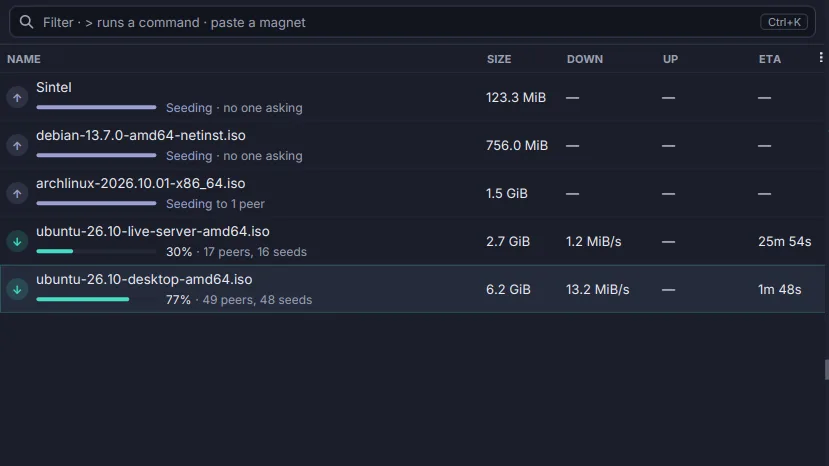
One box above the list (Ctrl+K) that filters by name or by state:seeding, size>4g, added<7d; runs a command after >; and adds a magnet you paste into it.
Sidebar filters
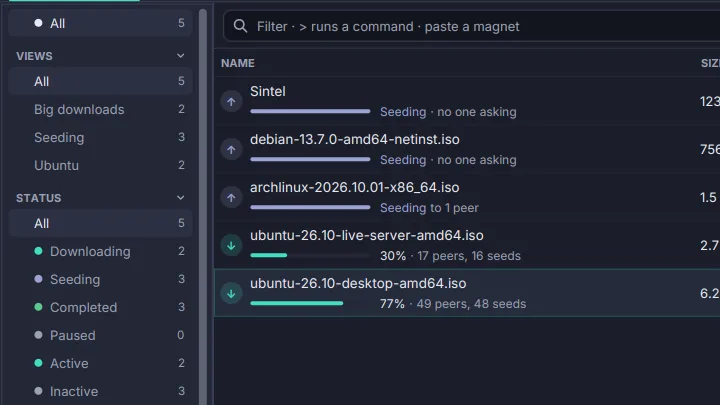
Status, category, tag and tracker sections with a count on every entry, walked with the arrow keys. One choice per section, and the list shows what passes all of them.
Details pane
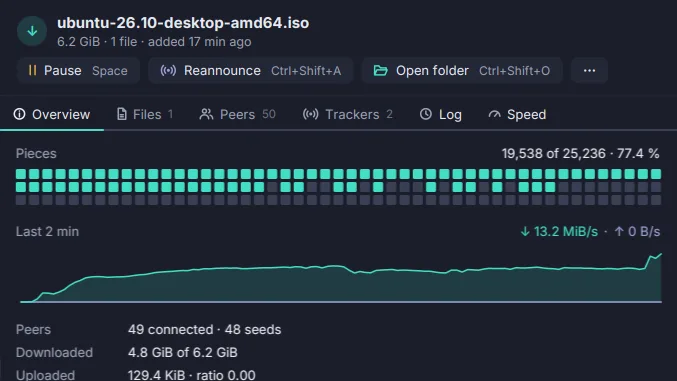
Why a torrent is not moving, said in words with a remedy, above its pieces, its speed and its facts. Then Files, Peers, Trackers, Log and Speed.
Themes and languages
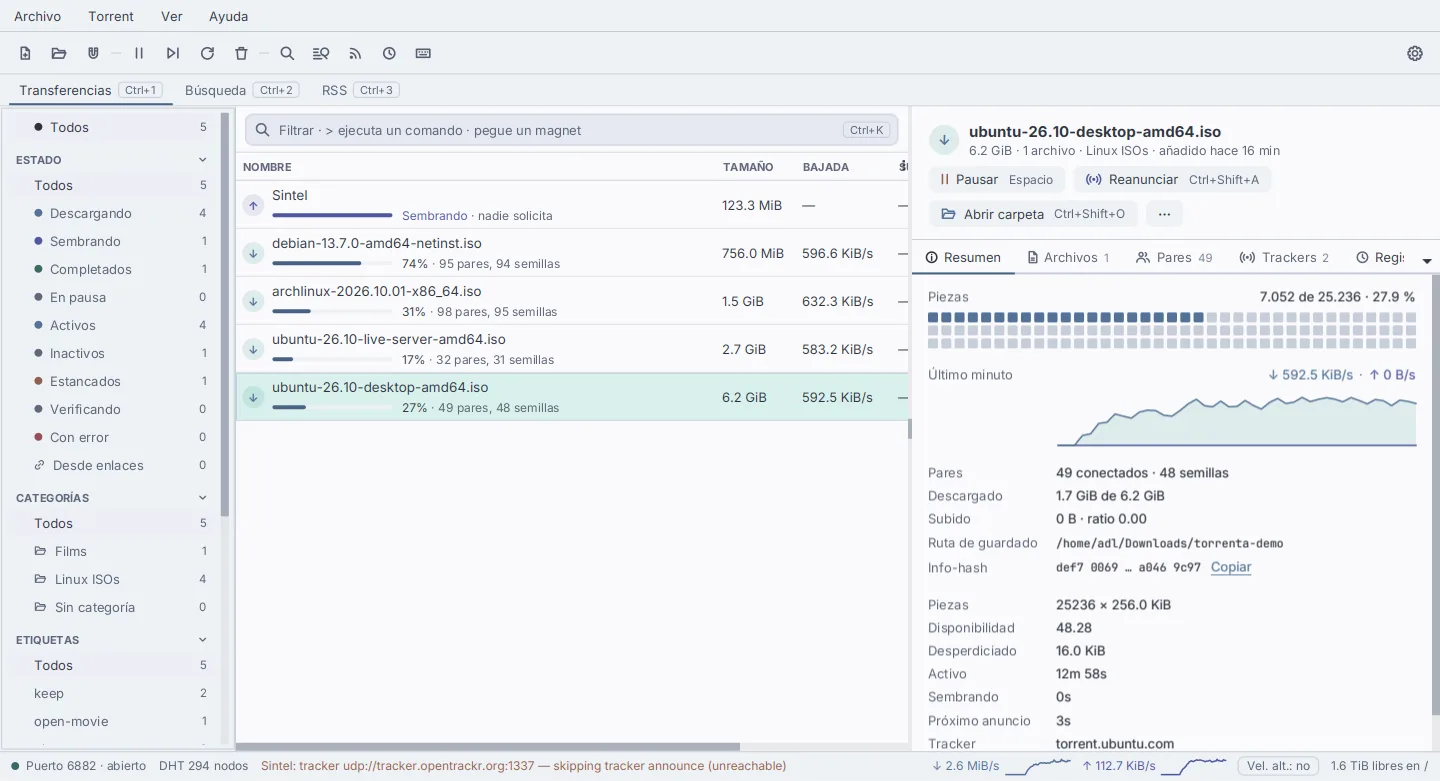
Editora Light and Dark, Nord and Cupertino, switched live. English, Deutsch, Español, Français, Italiano and Português, down to the last dialog.
Saved views
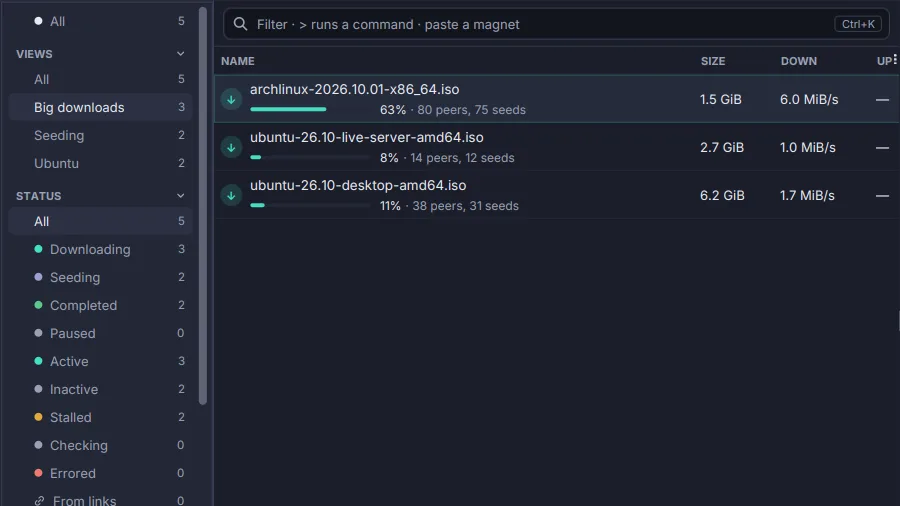
Save the omnibox's filter as a view with Ctrl+S: it joins the sidebar with a live count, and Ctrl+Alt+1 to 9 choose the first nine.
Commands over every match
>set-category Films, >add-tag keep, >limit-down 500k: typed in the omnibox, run on every torrent the filter shows.
Undo and the trash
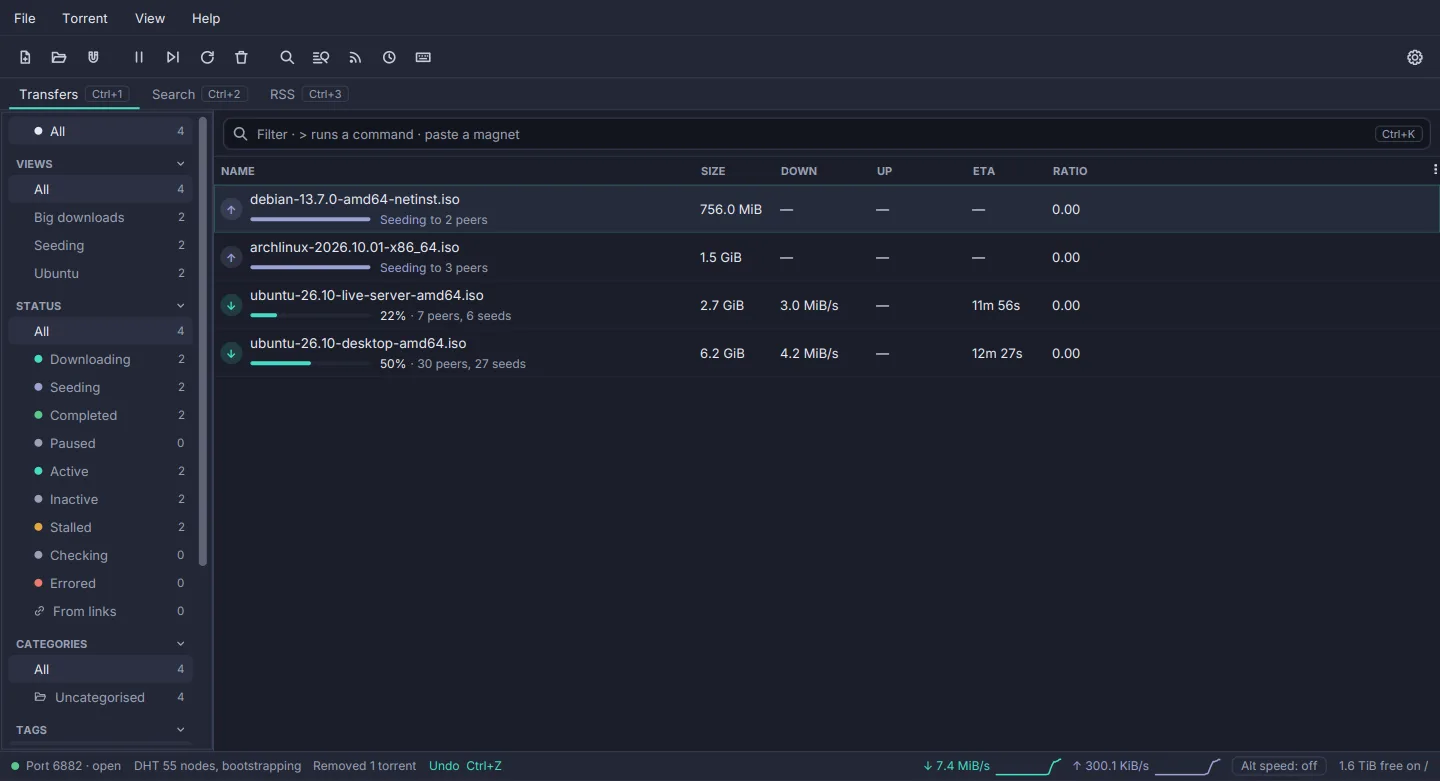
Ctrl+Z takes back a remove, a move, a category or tags. Files removed with a torrent go to the desktop's trash, not into the void.
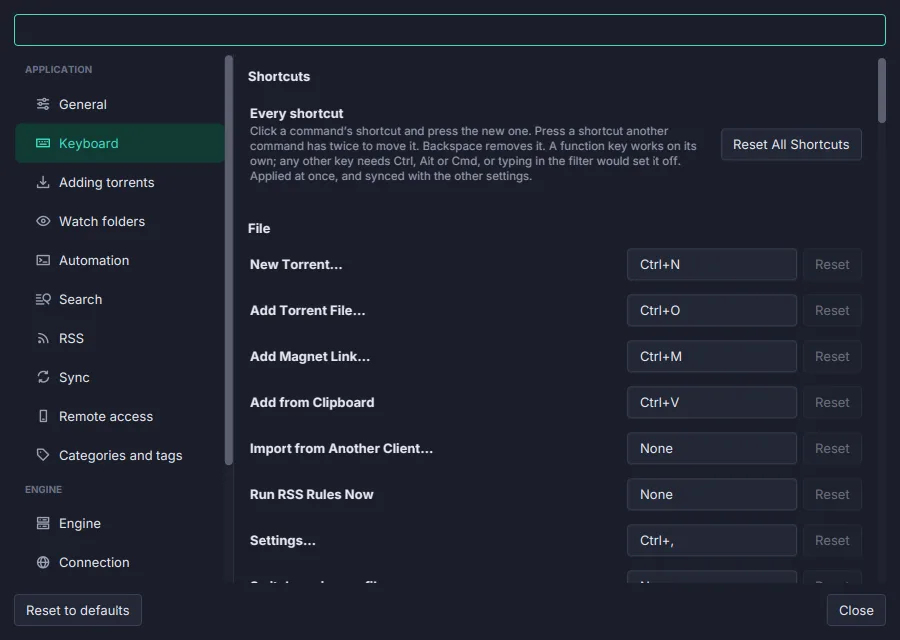
Shortcuts you can change
Settings → Keyboard lists every command with its chord: click, press the new one, done. Applied at once everywhere, and synced.
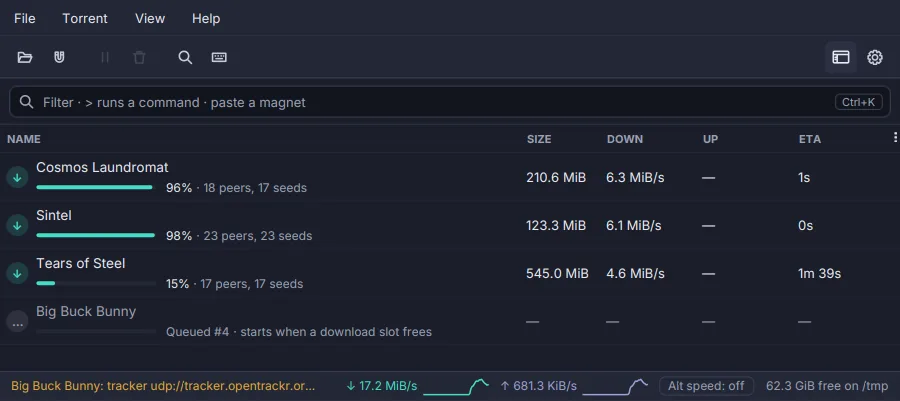
Simple mode
One switch leaves the list, the ways a torrent arrives and the actions someone new needs. Turning it off brings everything back as it was.
Adding & creating
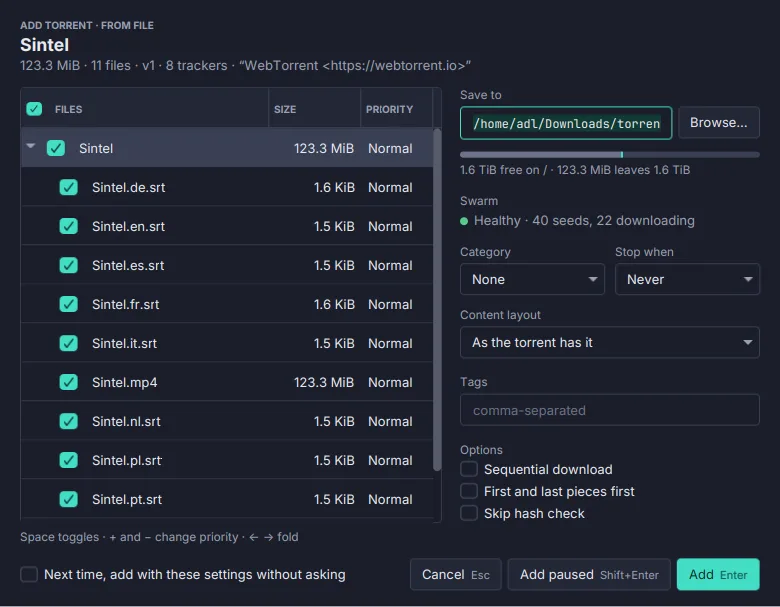
The Add dialog
Choose files and priorities, the folder with the space it leaves free, a category, tags and how it starts. A magnet's file list fills in while the dialog is open.
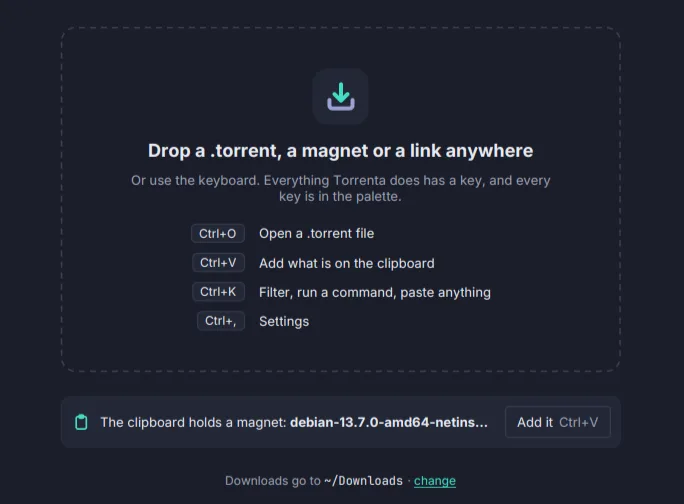
Opens from anywhere
The program for .torrent files and magnet: links: a double-click, a browser's link, a drop on the window, or the magnet already on your clipboard.
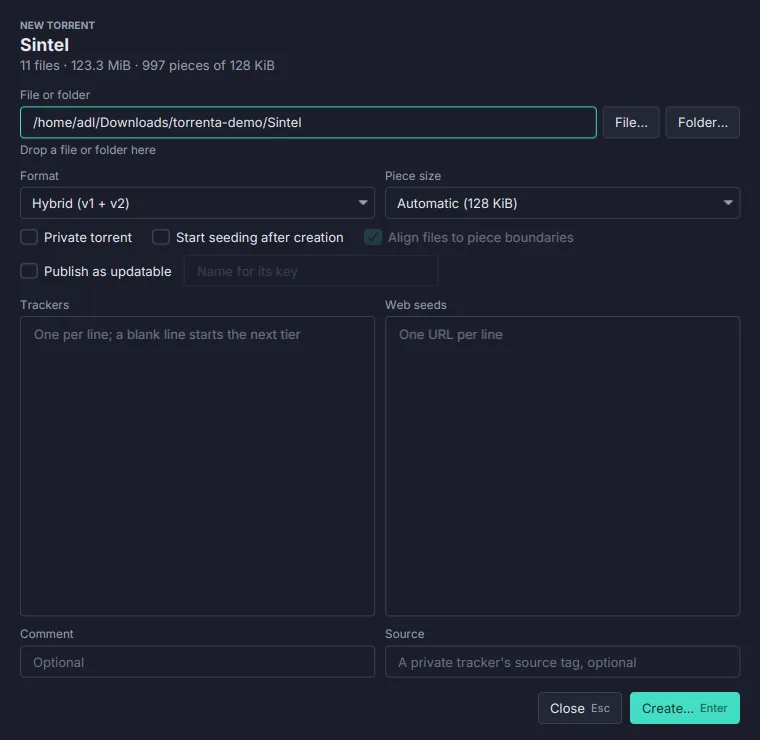
Create torrents
Hybrid, v1 or v2, an automatic piece size, private, trackers by tier, web seeds and a source tag. Hashed on a worker with a Cancel, and seeded the moment it is made.
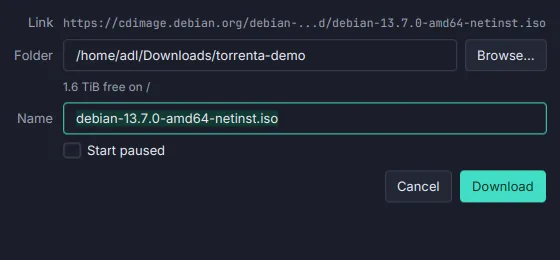
Downloads from links
A link to any file, not only a torrent, joins the list: http, https, ftp or sftp, fetched by curl, paused and resumed where it stopped, limited with the rest.
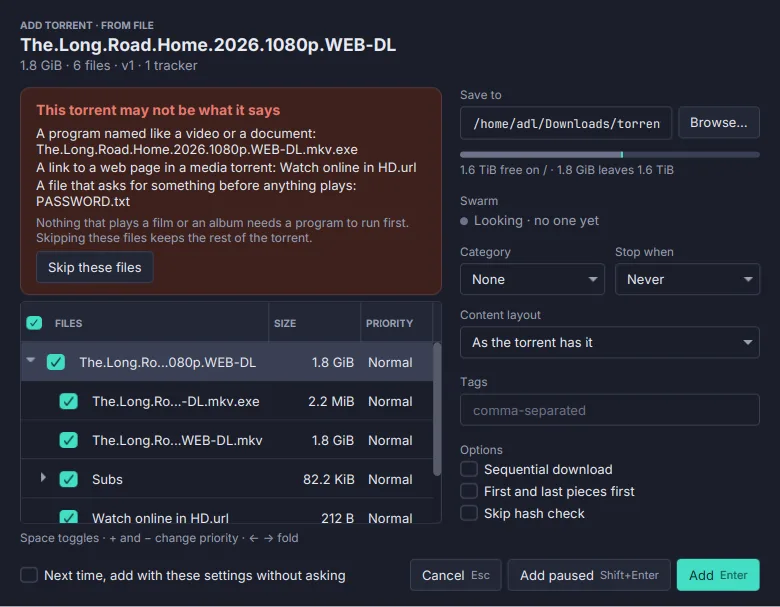
Content check
Before you add, the dialog names the files that deserve a look: a Film.mkv.exe, a hidden extension, a shortcut in an album, an archive that asks for a password.
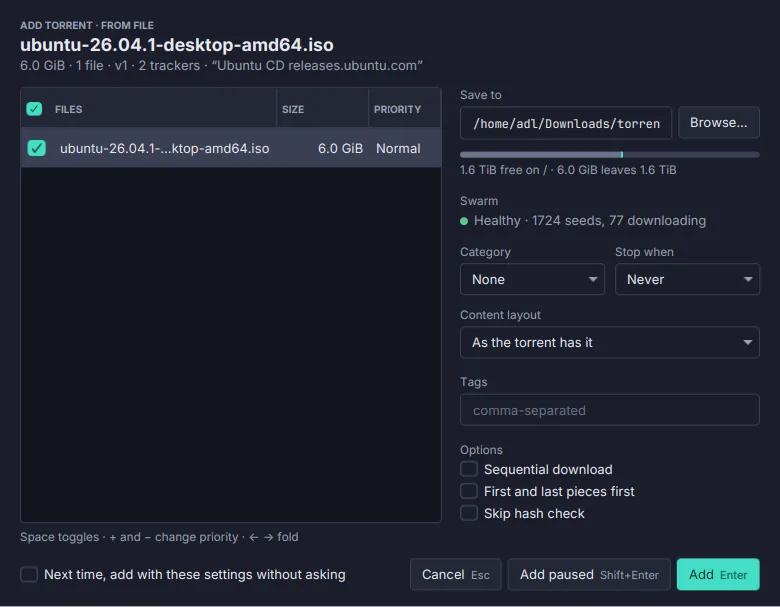
Swarm preview
A Swarm line in the Add dialog says Healthy, Thin, Incomplete or Dead before you add, with the counts, and follows the files you tick.
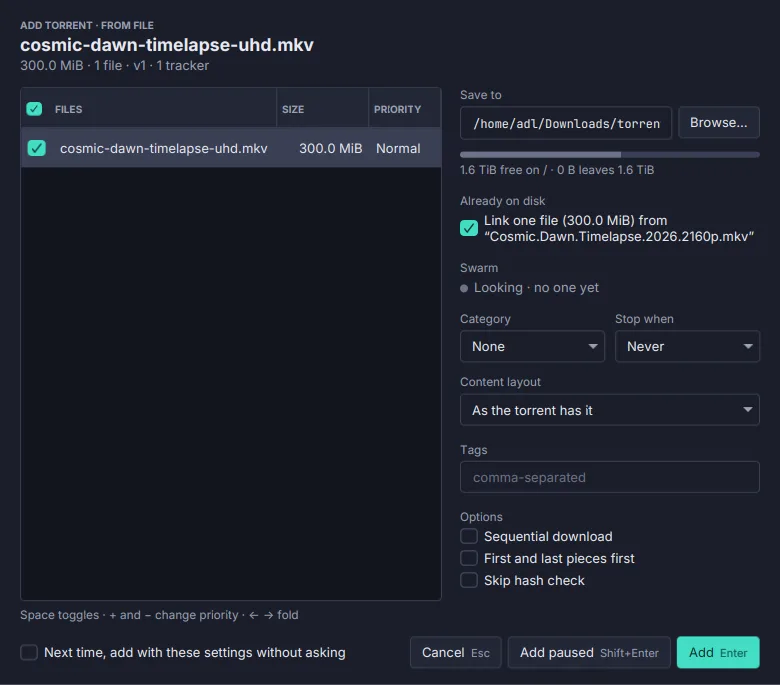
Files already on disk
A new torrent's file that another torrent already has complete is linked into place, not downloaded again: no bytes written, every one still checked.
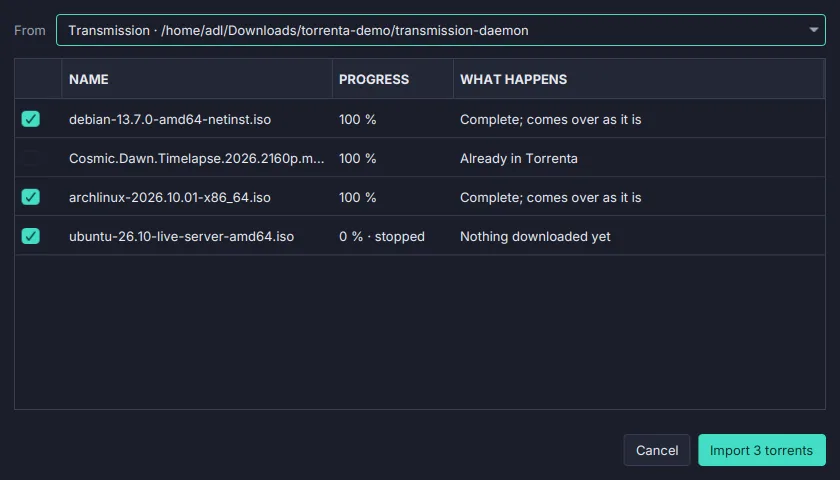
Import from another client
Bring your torrents over from qBittorrent, Transmission or Deluge at their progress, without a check, with their categories, tags and names.
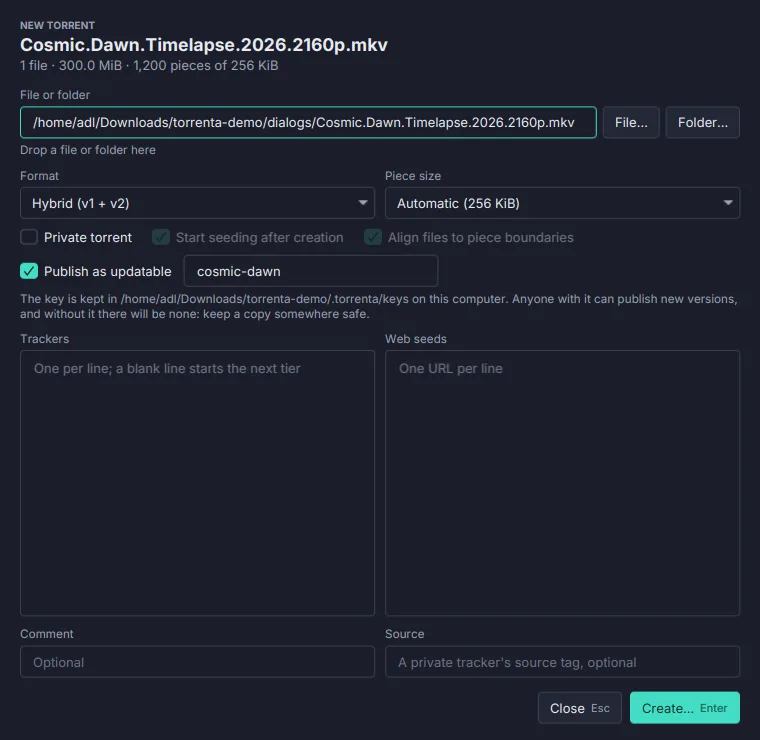
Updatable torrents
Follow a BEP 46 link and get every new version as it is published, unchanged files linked rather than downloaded; or publish one of your own.
Finding torrents
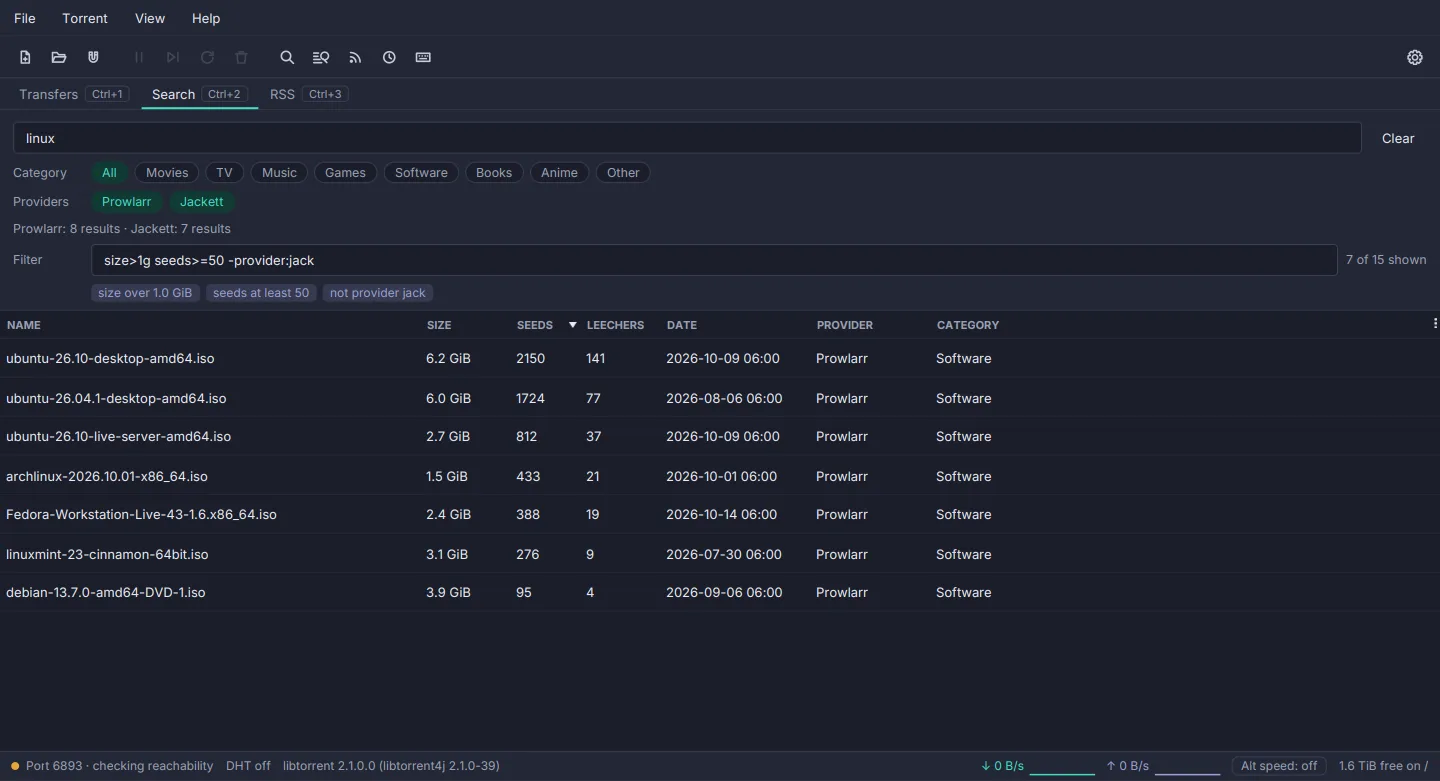
Search
Ask your Prowlarr or Jackett, and sites described by a small definition file, all at once. Results land as each answers, the same torrent shown once, best seeded first, with a filter box over them.
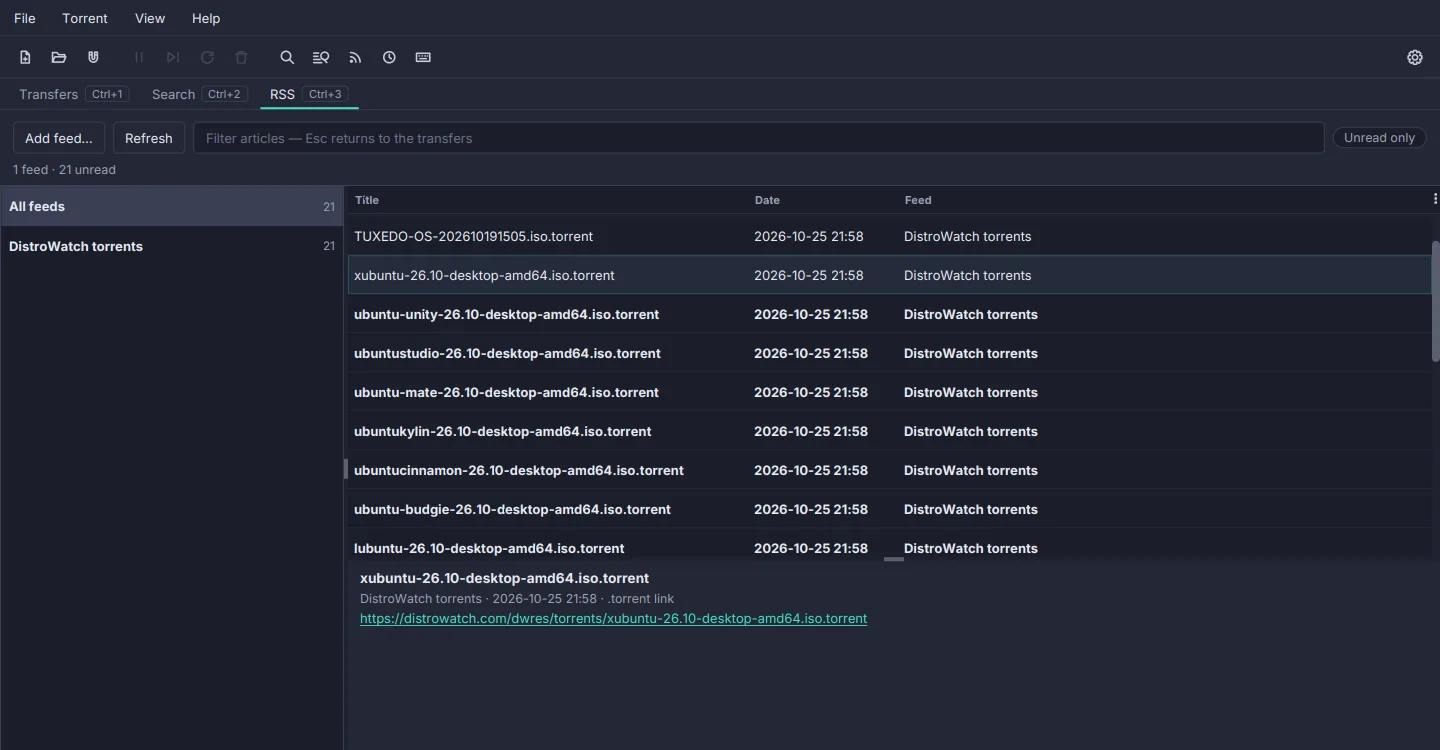
RSS and auto-download rules
A feed reader with unread counts, and rules in qBittorrent's syntax: must and must-not words, regex, 1x2-5 episode filters and a smart filter that never takes an episode twice.
Watching & managing
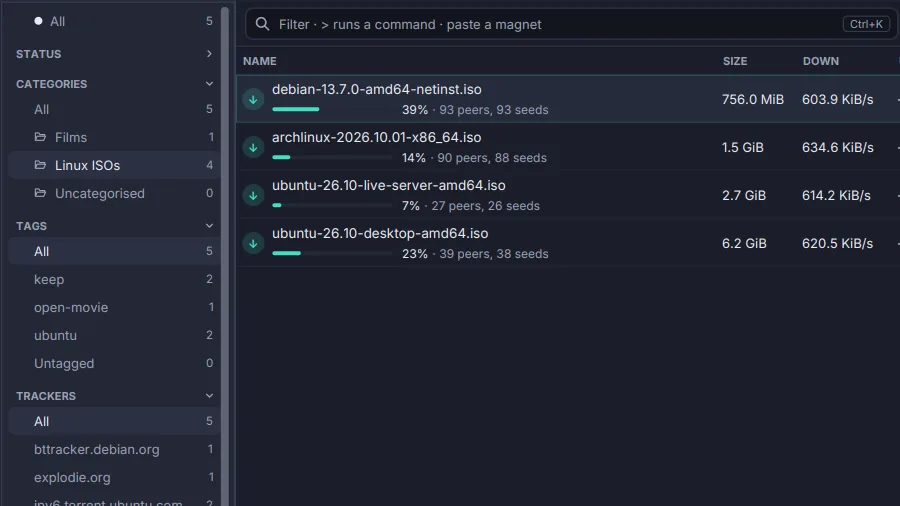
Categories and tags
One category per torrent, with its own save path, and any number of tags. Filed from the keyboard, filtered in the sidebar and the omnibox.
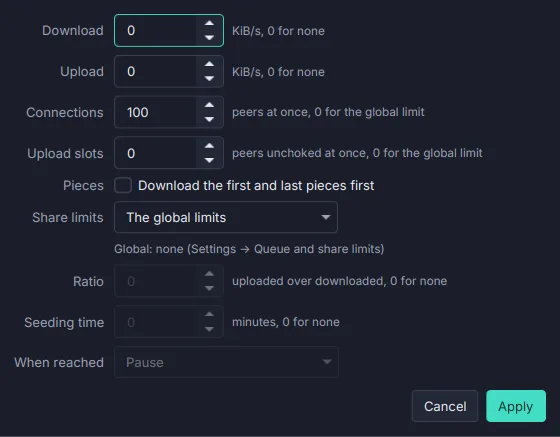
Queue, share and speed limits
How many torrents run at once, a ratio or seeding time that pauses or removes, per-torrent caps, and alternative speed limits on a weekly schedule.
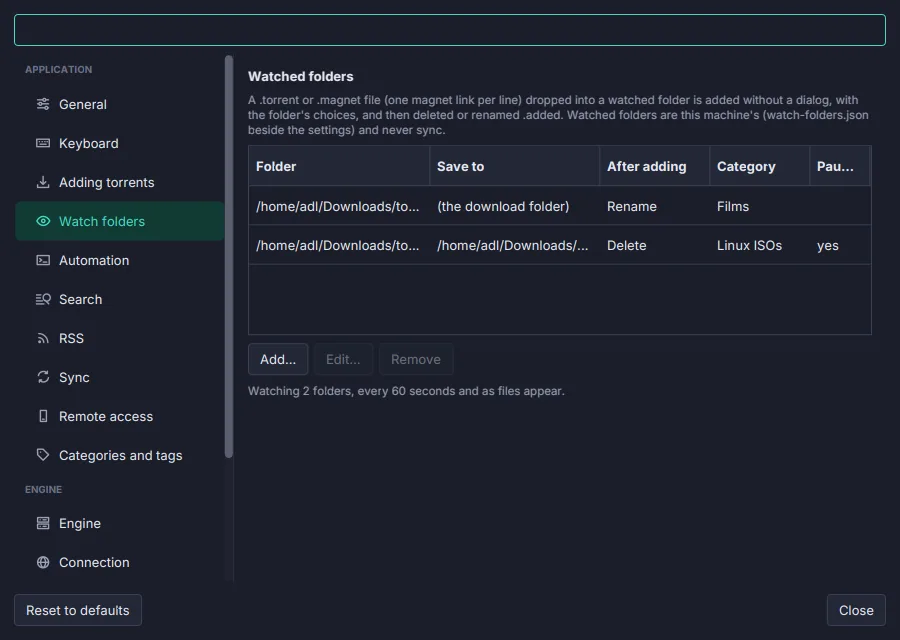
Watch folders
Drop a .torrent or a .magnet file into a folder and it is added without a dialog, with that folder's save path, category and start.
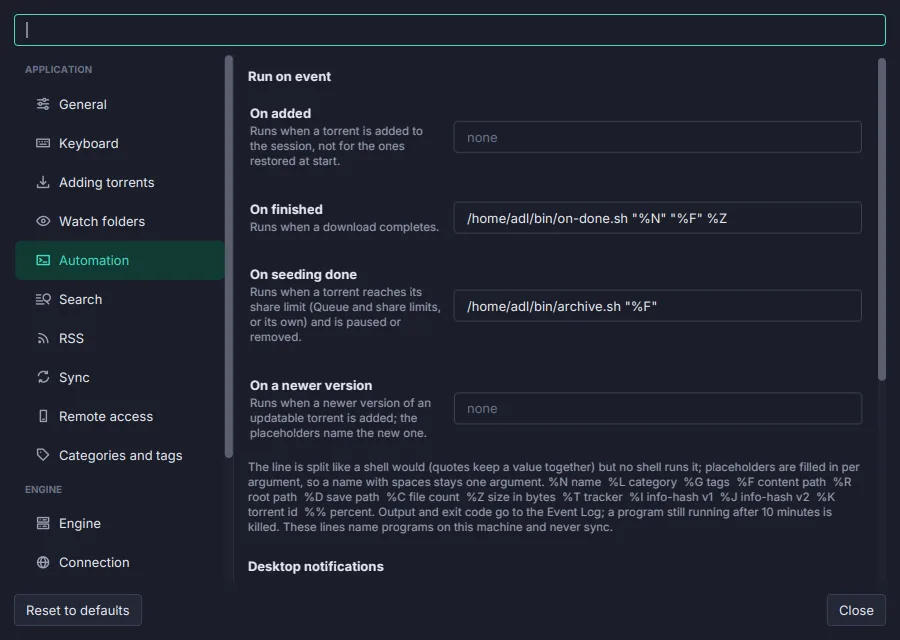
Run on event and notifications
A program to run when a torrent is added, finishes or is done seeding, with qBittorrent's %N %F %D placeholders, and a desktop notification for each.
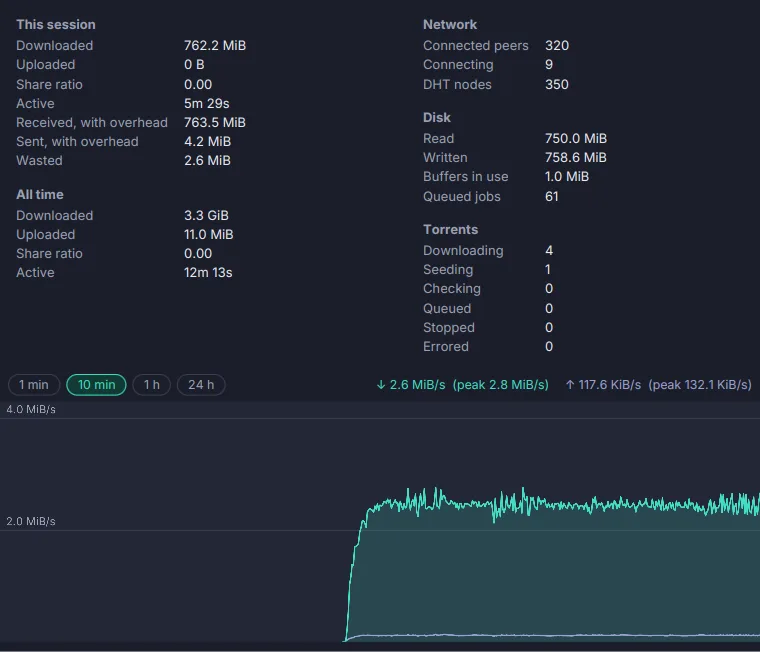
Statistics
This session's and all-time totals, ratio, overhead, wasted bytes, peers, DHT nodes and disk activity, over a speed graph of the last minute, ten minutes, hour or day.
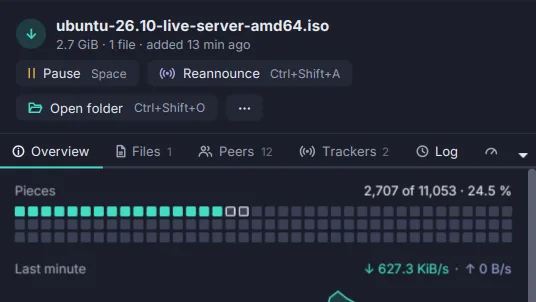
Play while it downloads
Stream in Player opens a file in mpv or VLC as it downloads; the pieces the player is about to reach come first.
Engine & network
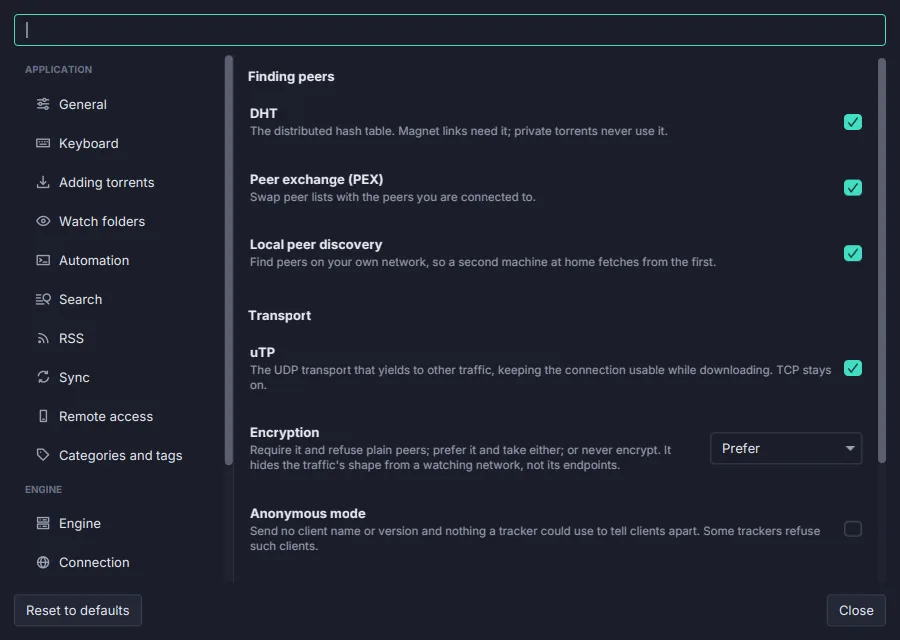
libtorrent inside
The engine behind qBittorrent and Deluge: v2 and hybrid torrents, uTP, DHT, PEX, local discovery, encryption, proxies, and resume data that survives a crash.
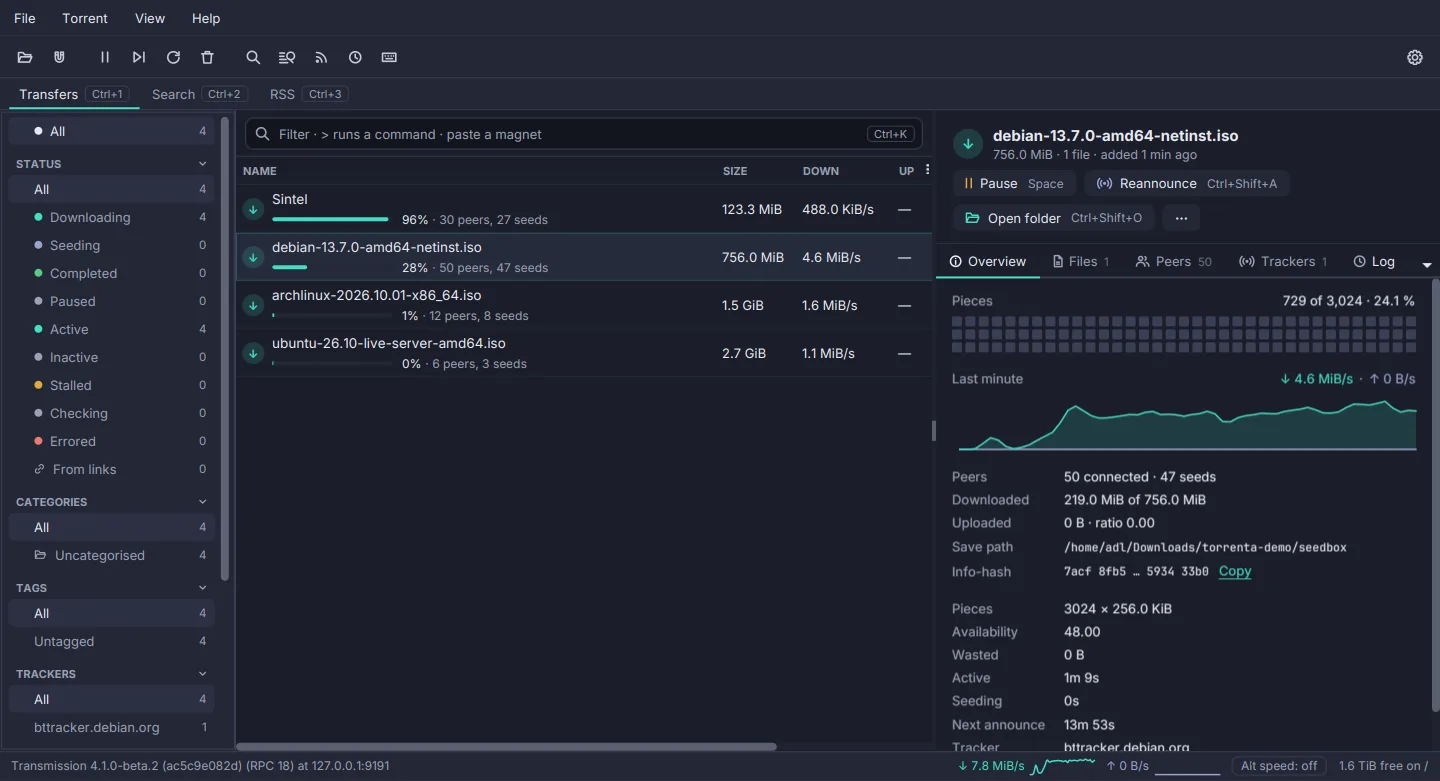
A Transmission daemon as the engine
Drive transmission-daemon on a seedbox or a NAS from the same window. What the daemon cannot do is hidden, never greyed out or faked.
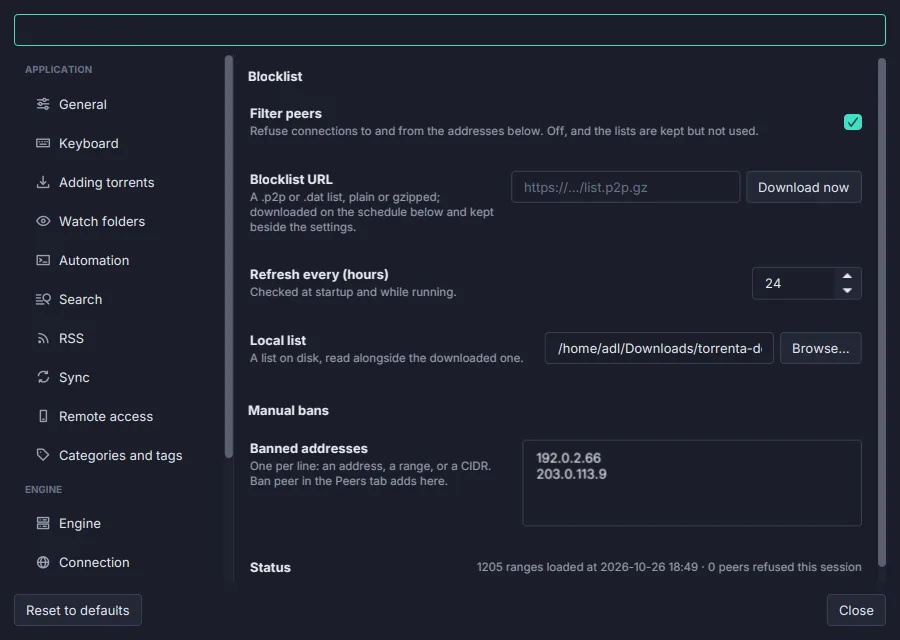
IP filter
A blocklist URL refreshed on a schedule (PeerGuardian .p2p, eMule .dat, CIDR), a local list, and peers banned from the Peers tab.
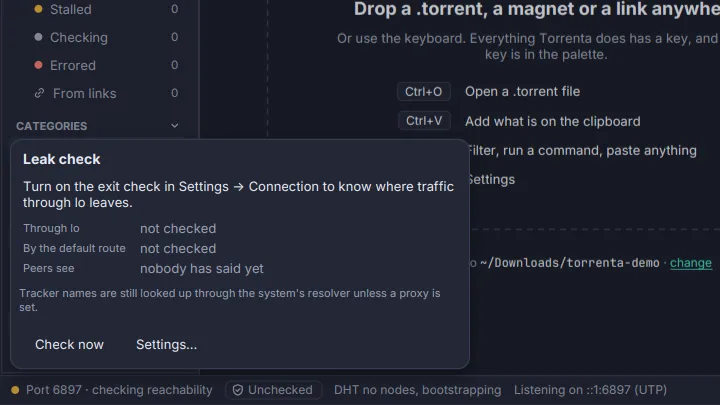
Leak check
Bound to a VPN, Torrenta watches the interface, says at once when it drops, and with one setting checks where traffic really leaves.
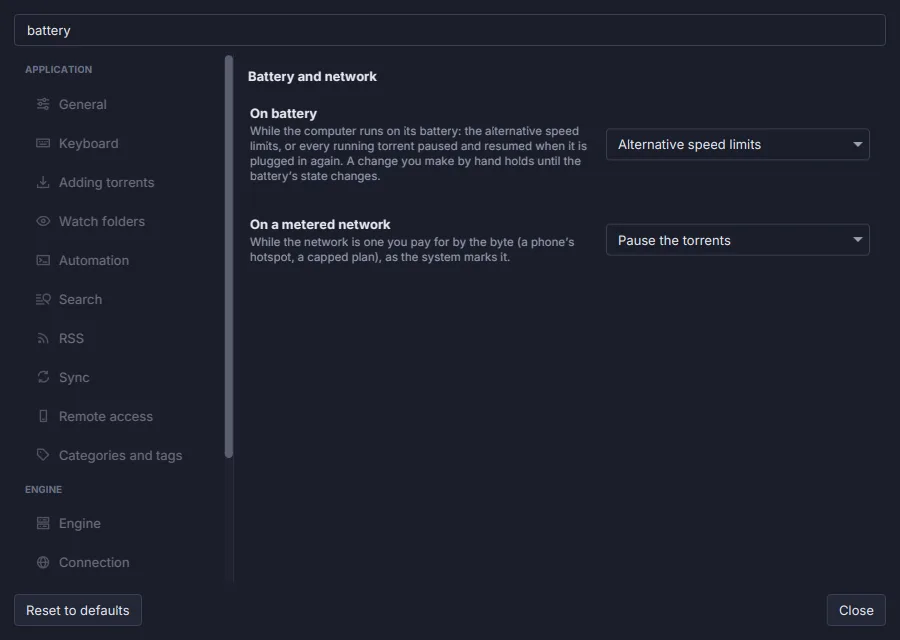
Battery and metered networks
On battery, or on a network paid by the byte, use the alternative speed limits or pause the torrents, and carry on when it ends.
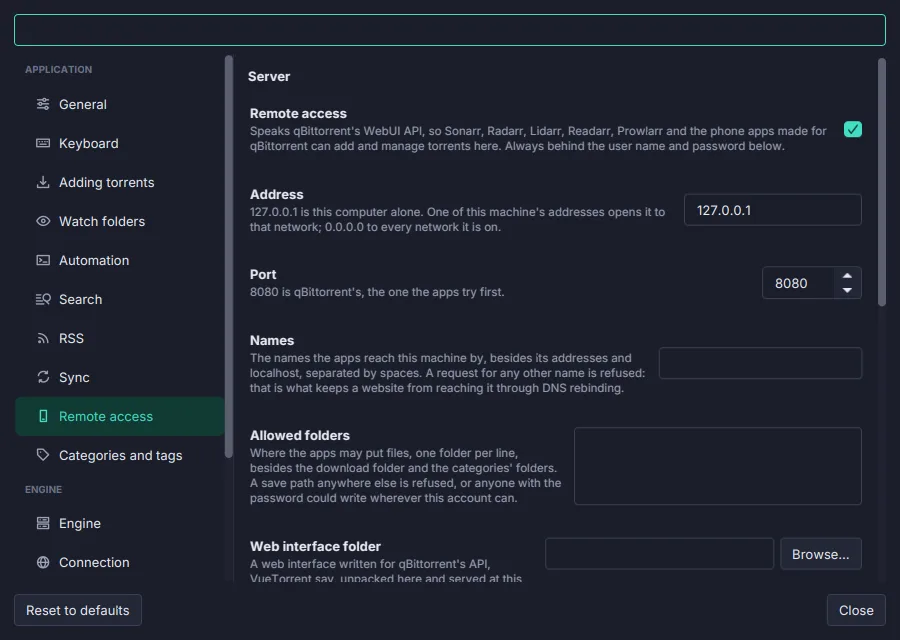
Remote access: qBittorrent's web API
Speaks qBittorrent's WebUI API, so Sonarr, Radarr, Prowlarr and the phone apps connect as they are, and serves a web UI such as VueTorrent. Signed in, always.
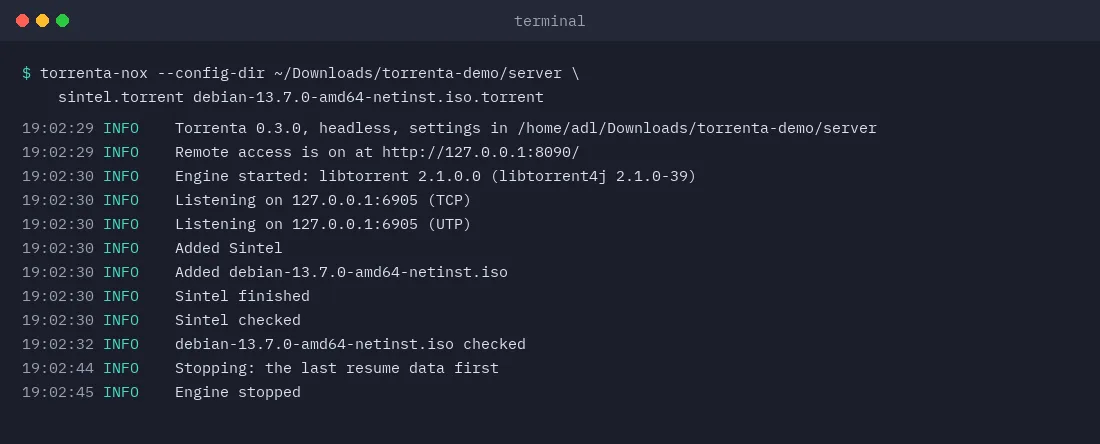
Headless
torrenta-nox runs everything the window does but the window: for a server, a NAS, or a machine reached over SSH.
Your desktop
Tray icon and badge
The arrow-in-a-tray mark beside the clock, teal while something downloads, red on an error; close to the tray and keep downloading. The rate on the macOS dock icon.
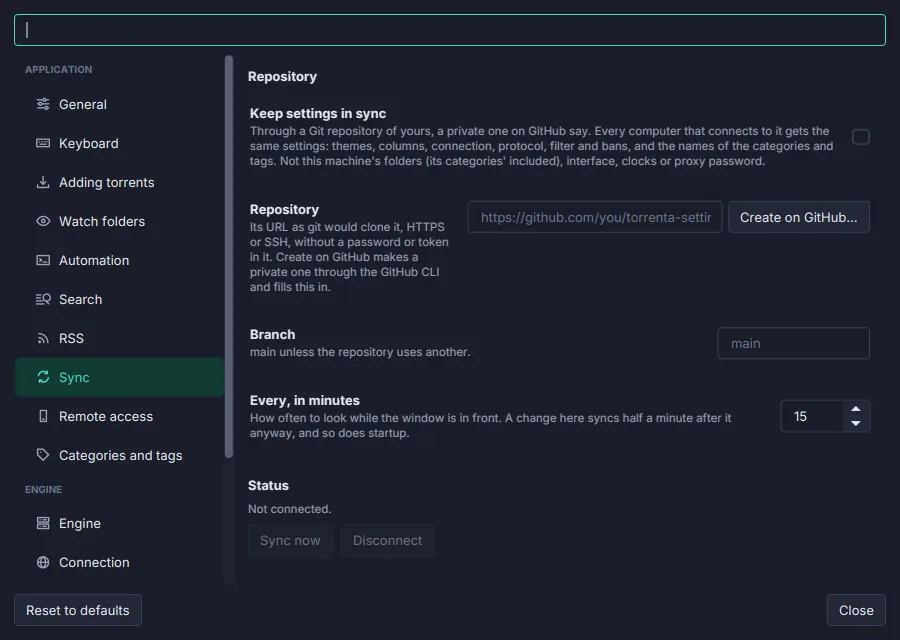
Settings and sync
A searchable Settings window where every change applies at once, a plain file under it, and the same settings on every computer through a Git repository of yours.
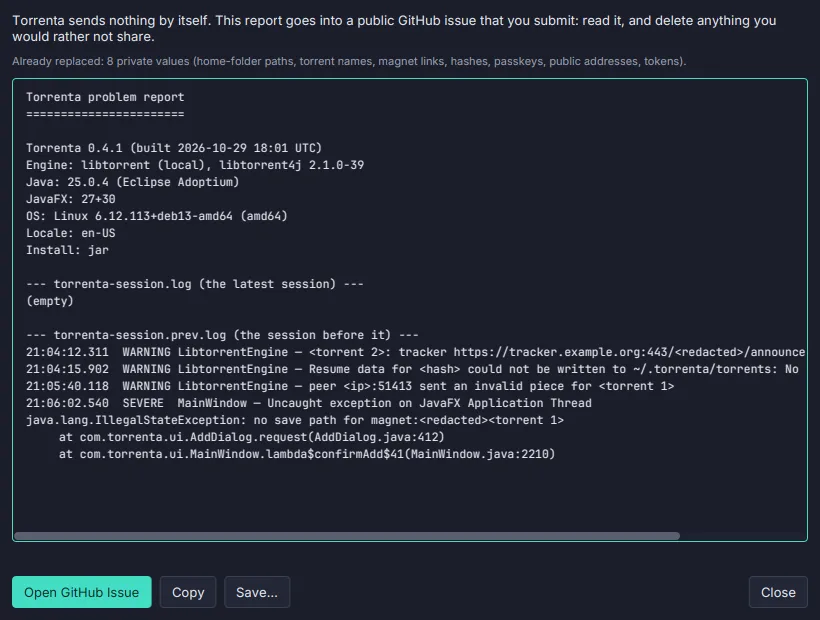
Report a Problem
A GitHub issue written from the debug log, with paths, names, hashes and addresses taken out first. Torrenta sends nothing itself.
How it compares
Against Transmission 4.1 and qBittorrent 5, the two clients Torrenta set out to replace. The full matrix, row by row, is in the roadmap.
| Feature | Transmission | qBittorrent | Torrenta |
|---|---|---|---|
| A command palette over every action | — | — | ✓ |
| Built-in search across providers, results merged | — | ✓ | ✓ |
| RSS auto-download rules with episode filters | — | ✓ | ✓ |
| Categories with their own save path, and tags | — | ✓ | ✓ |
| Create torrents: v1, v2 or hybrid | ✓ | ✓ | ✓ |
| Watch folders | ✓ | ✓ | ✓ |
| IP filter from a blocklist URL, manual bans | ✓ | ✓ | ✓ |
| Alternative speed limits on a weekly schedule | ✓ | ✓ | ✓ |
| Offers the magnet or link on the clipboard | — | — | ✓ |
| Downloads links to plain files too, beside the torrents | — | — | ✓ |
| Drive a remote Transmission daemon | ✓ remote GUI | — | ✓ |
| Settings synced between machines through Git | — | — | ✓ |
| Saved filters as sidebar views, with live counts | — | — | ✓ |
| Commands with arguments over every filtered torrent | — | — | ✓ |
| Undo a remove, a move, a category or tags | — | — | ✓ |
| Content check before adding: disguised programs, hidden extensions | — | — | ✓ |
| Swarm preview before adding | — | — | ✓ |
| Reuses files already on disk instead of downloading them | — | — | ✓ |
| Imports torrents from qBittorrent, Transmission and Deluge | — | — | ✓ |
| Play a file in a player while it downloads | — | — | ✓ |
| Updatable torrents (BEP 46): follow and publish | — | — | ✓ |
| Alternative limits on battery or a metered network | — | — | ✓ |
| Leak check for a VPN binding | — | — | ✓ |
| A web API for Sonarr, Radarr and phone apps | ✓ its own RPC | ✓ | ✓ |
| Headless mode | ✓ | ✓ | ✓ |
| Serves an alternative web UI from a folder | ✓ | ✓ | ✓ |
| A web UI of its own | ✓ | ✓ | later |
Every action has a key
Chords are declared once, on the command, so the menus, the context menu, the toolbar and the palette can never disagree. A few to start with:
- Command Palette Alt+X
- Filter, Run a Command or Add (Omnibox) Ctrl+K
- Add Magnet Link… Ctrl+M
- Add from Clipboard Ctrl+V
- Pause / Resume Space
- New Torrent… Ctrl+N
- Search… Ctrl+Shift+F
- RSS Feeds… Ctrl+R
- Limits… Ctrl+L
- Set Category… Ctrl+Shift+G
- Copy Magnet Link Ctrl+Shift+C
- Settings… Ctrl+,
Download
Native installers for macOS, Windows and Linux are attached to each release. Each bundles its own Java runtime and the engine; there is nothing else to install.
libtorrent's native library exists for these three platforms only, so Intel Macs and ARM Linux have no build yet.
Installers are currently unsigned. On macOS the first launch is blocked: open System Settings → Privacy & Security and click Open Anyway. On Windows, if SmartScreen appears, choose More info → Run anyway. Each release lists SHA-256 checksums.
Build & run from source
Requires JDK 25 (the build refuses another and says so). A Maven wrapper is bundled, so no local Maven install is needed.
# Clone
git clone https://github.com/adriandeleon/torrenta.git
cd torrenta

# Run the app
./mvnw javafx:run

# Tests, coverage floor and the formatter check
./mvnw verify

# A self-contained app image (add -Dskip.installers=false for .deb .rpm | .dmg | .msi)
./mvnw clean -Pdist -DskipTests package
Built in the open with the help of AI coding tools. Every change lands as a reviewed, tested commit on GitHub.