
Shortcuts you can change
Settings → Keyboard lists every command with its chord: click, press the new one, done. Applied at once everywhere, and synced.
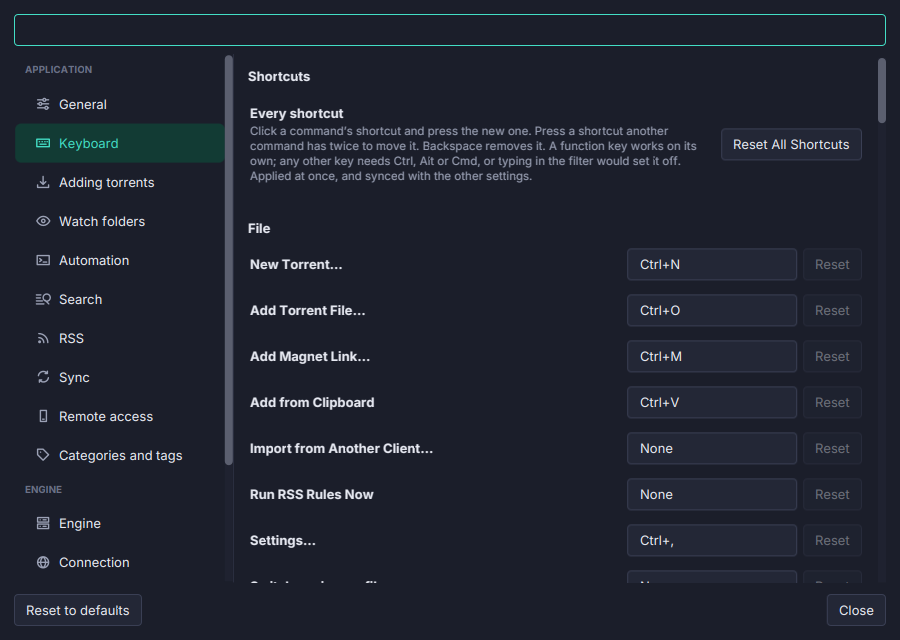
Every command comes with a chord, and every chord can be moved.
- Settings → Keyboard lists every command under its menu with the chord it is on.
- Click one and press the new chord. A chord another command has asks you to press it twice, then moves it.
Backspaceleaves a command with none, and Reset puts it back; Reset All Shortcuts puts every one back. - Commands with no chord can be given one.
- Applied at once to the menus, the palette, the toolbar’s tooltips and the view strip.
- Synced with the other settings, as
keys.<command>=Shortcut+Shift+Kin the settings file, withShortcutmeaningCmdon a Mac andCtrlelsewhere.
The palette’s own chord (Alt+X by default) moved here from General; a Ctrl+Shift+P chosen there is kept. Select All (Ctrl+A) is the list’s own and stays where it is. The Keybindings page lists the defaults.