
Simple mode
One switch leaves the list, the ways a torrent arrives and the actions someone new needs. Turning it off brings everything back as it was.
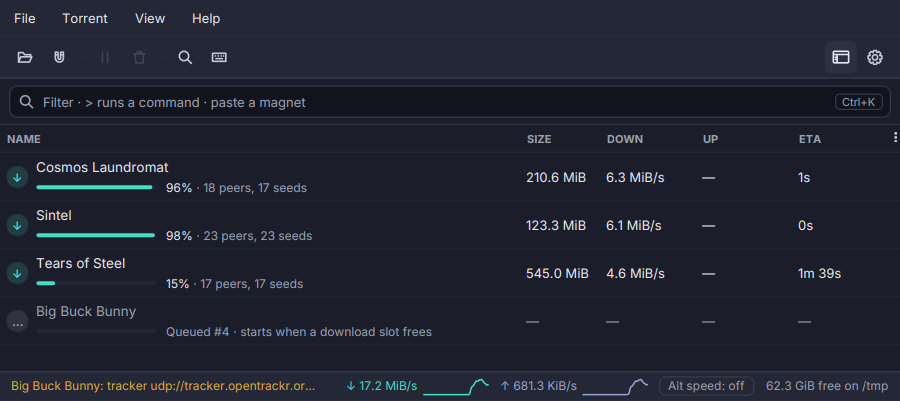
Torrenta has a lot of window for someone who only wants to download a file. Simple mode puts the rest away without taking anything from you.
- One switch: View → Simple Mode, the toolbar’s switch beside Settings, Settings → General, or
torrenta --simplefor one session. - What stays: the list; every way a torrent arrives (a file, a magnet, the clipboard, a drop); pause and resume, remove, choose files, open the folder, copy the magnet; and the diagnosis card’s remedies.
- What goes away: the sidebar, the Search and RSS views, the rarer commands (from the menus, the right-click menu, the toolbar, the palette and their shortcuts), the status bar’s port and DHT, the detail pane’s Peers, Trackers, Log and Speed tabs, and the Add dialog’s category, tags, stop condition, layout and options.
- Its own columns: comfortable rows with the name (its progress bar and status sentence inside), the size, the two rates and the time left. The others are still in the column menu, and what you change there is remembered for Simple mode alone.
- Nothing is changed by it. The sidebar keeps its place and its choice, the detail pane its tab, and turning the mode off brings each back as it was. RSS rules, watch folders and automation keep running.
See The transfer list.